Jump Hippo User Guide
Jump Hippo manages SSH tunnels that open on demand. You define a tunnel once: a local port, where traffic should end up, and the SSH server (and any jump hosts) to route it through. Jump Hippo binds the local port and waits. The moment something connects to that port, it opens the SSH tunnel — through a chain of jump hosts if you need them — holds it open while traffic is flowing, and tears the SSH connection down again once the port goes idle. The local listener stays bound the whole time, so the next connection re-opens the tunnel automatically.
It runs quietly in the background from the system tray, holds your SSH credentials encrypted at rest, and never phones home.
How a tunnel works
  your app  ──▶  127.0.0.1:5432   ──ssh──▶  [ jump host … ]  ──ssh──▶  ssh server  ──▶  db:5432
              (the entry port,             (optional multi-hop           (the target        (the exit /
               bound and waiting)           chain)                        server)            destination)
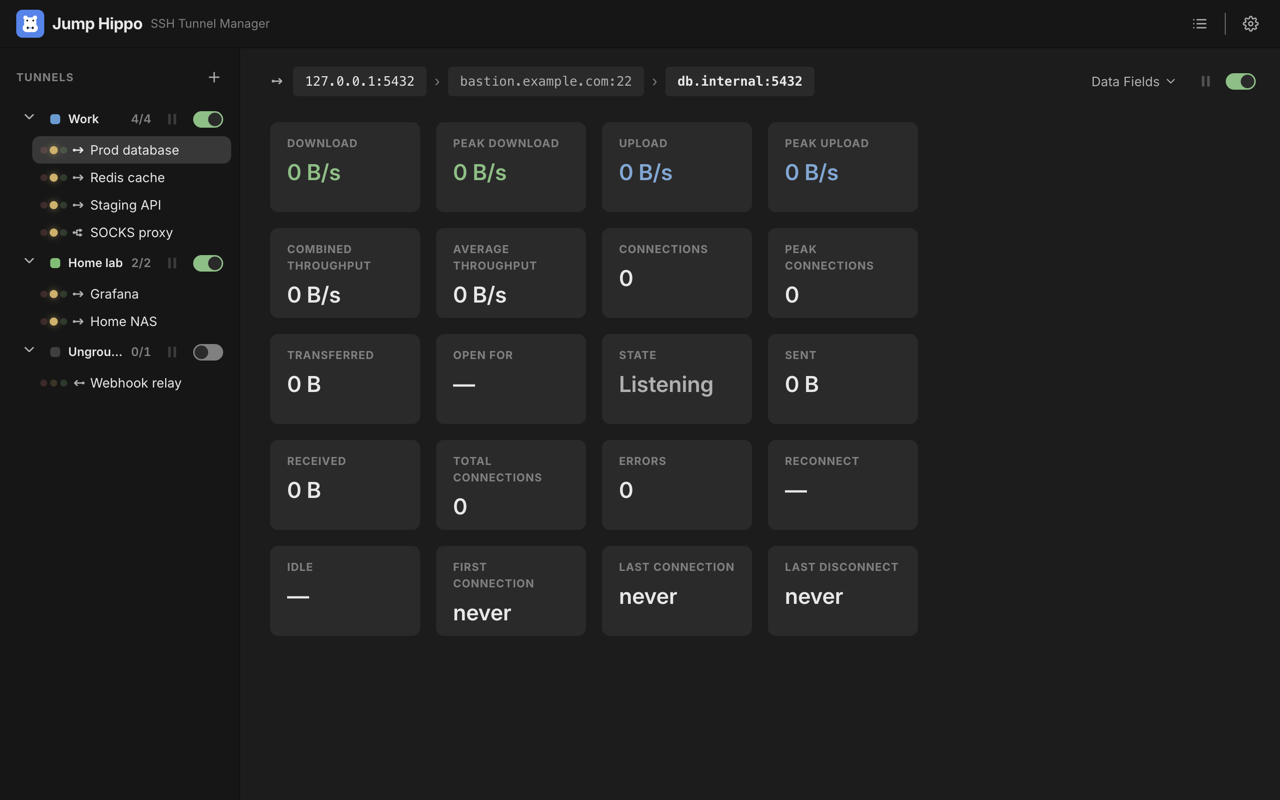
- Armed — the tunnel's local entry port is bound and listening. No SSH connection exists yet.
- First access — an app connects to the entry port. Jump Hippo opens the SSH chain (jump hosts, then the target server), authenticates each hop, verifies each host key, and forwards your traffic to the exit port (the destination).
- Live — the SSH connection is held open while any client is connected, with byte counters and connection stats updating in the Monitoring view.
- Idle — after the last client disconnects, Jump Hippo waits the tunnel's idle linger and then closes the SSH connection. The entry port stays bound, ready to open it again on the next access.
You can pause a live tunnel to freeze its traffic without tearing anything down, and resume it later.
The guide
- Getting Started — install, define your first tunnel, arm it, and watch it connect on demand.
- Defining Tunnels — entry port, target server, exit port, linger, keep-alive, and auto-reconnect.
- Jump Hosts — reusable hosts and multi-hop chains.
- Authentication — SSH agent, private keys, passwords, and passphrases.
- Host Keys & Trust — how Jump Hippo verifies servers, and what a "changed key" warning means.
- Consoles — open an interactive remote shell to a server, reusing the same credentials, jump hosts, and host-key trust as a tunnel.
- Monitoring & Pause — live stats, the Cards and List views, groups, and pause/resume.
- Import & Export — move a setup between machines, back it up,
or seed a fresh install from your
~/.ssh/config. - Tray & Background — hide-to-tray, launch-at-login, and quit behaviour.
- Security — binding scope, where secrets live, host-key trust, and Jump Hippo's privacy posture.
- Troubleshooting — port already in use, privileged ports, connection failures, and reconnects.
Jump Hippo is open source under the Apache 2.0 license. The source, issue tracker, and build instructions are on GitHub.